PHP2Shell: Why Website Maintenance Decides Who Stays Online
l
Webdesign
Webentwicklung
Branding
Animation
From Mainz to The Hague: The Wednesday websites went dark on purpose
On 21 October 2026, a string of well-known sites suddenly disappeared. The city of Mainz, Berlin's Charité hospital and the city portal of Saarbrücken were all offline, and Bielefeld's municipal utility pulled the plug too (ZFK). In Austria, Caritas and a regional news outlet followed.
In The Hague, the Dutch parliament took its website down (NL Times). In Luxembourg, the national cybersecurity agency counted well over 5,000 vulnerable websites (Paperjam).
According to ZFK, none of the affected German sites had been hacked. Their operators switched them off as a precaution because nobody could say for sure whether the servers were protected. Germany's Federal Office for Information Security (BSI) had issued an orange alert (BSI).
The trigger was called PHP2Shell. We see it first and foremost as a website maintenance problem. So, honest question: do you know right now what runs on your server and who keeps it updated?
Almost 70 percent of the web runs on PHP, and that is where the flaw was
PHP is the engine room of your website
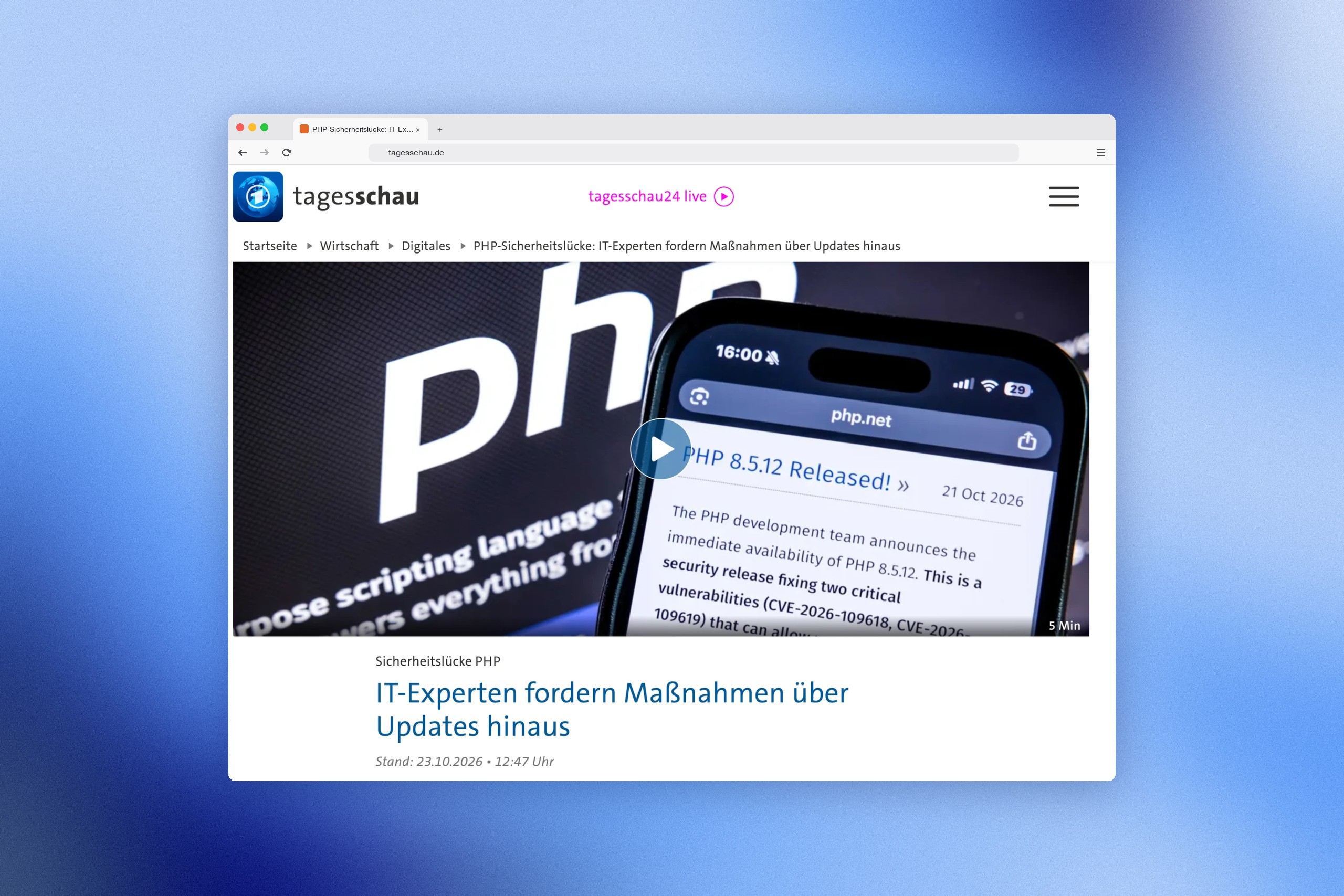
PHP assembles each page on the server before it reaches your visitors' browsers. According to W3Techs, around 69 percent of all websites rely on it, including WordPress, TYPO3 and many online shops.
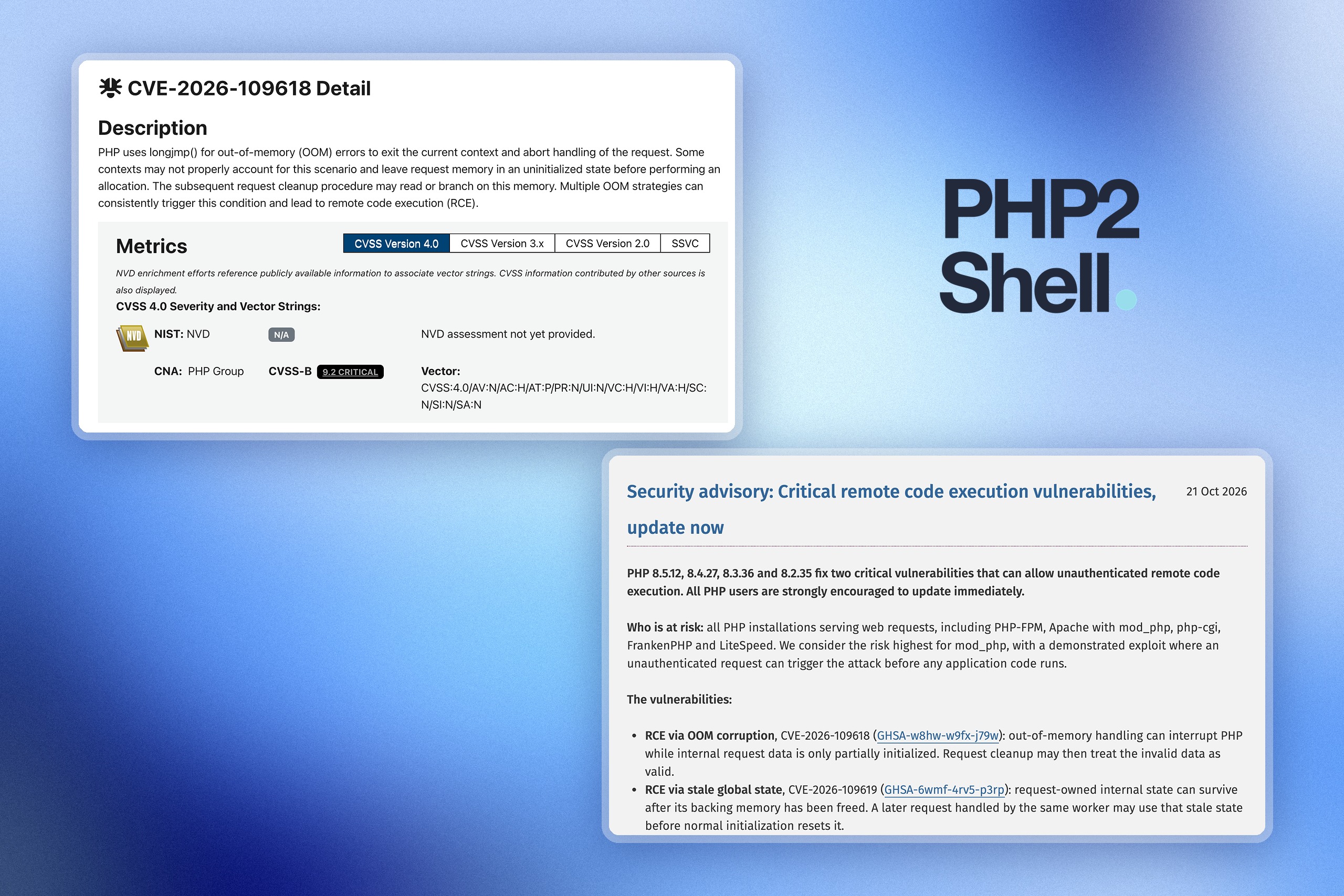
PHP2Shell refers to two related bugs in the code of PHP itself (Patchstack). They were discovered by the security company Wiz. The PHP development team confirmed the flaws and shipped fixes on 21 October (Bitsight).
How the attack works, in plain terms
Attackers send crafted requests that overload PHP until it crashes. In that broken state, they can slip in their own code without needing a password (Rapid7).
Whoever pulls that off controls the server. In the worst case, that means access to everything stored there, customer data included.
More than a million servers will never get a fix
An update only helps if one exists for your version. More than a million PHP servers online run versions so old that no fixes are released for them anymore (SecurityWeek).
This is exactly where website maintenance comes in. If you install updates regularly and keep an eye on versions, you can react fast when the next flaw appears instead of shutting down as a precaution.
Three lessons from PHP2Shell for your website maintenance
Lesson 1: Know which PHP version your website runs
Every PHP version receives security updates for a limited time only (php.net). Older versions are already out of support, and the next one reaches PHP end of life at the end of 2026.
You can check in your hosting provider's customer dashboard. For WordPress, the Site Health tool shows your WordPress PHP version under the server information.
Lesson 2: Decide who installs the updates
Hosting provider, agency, in-house IT: if nobody owns PHP updates, each party waits for the other when it counts. Who is responsible depends on where your website lives:
If you are not sure which case applies, that is the first question to put to your team. Clear ownership is at the heart of any website maintenance.
Lesson 3: WordPress security needs the server update too
Even fully updated WordPress sites were vulnerable as long as the PHP underneath was outdated (Patchstack). Keeping WordPress itself (your CMS, or content management system) and its plugins current is like updating the apps on your phone. PHP is the operating system in this picture: if it has a hole, the newest app will not help much.
That is why real WordPress security always includes the PHP update. Regular security audits matter just as much: a scheduled check of versions, plugins and logins. They surface weak spots before attackers find them.
Both belong in your website maintenance plan, right alongside CMS and plugin updates.
How we run websites so updates never fall between the cracks
Website maintenance covers everything that keeps a site secure and fast after launch: updates for the CMS, plugins and PHP, backups, monitoring and an incident plan.
PHP2Shell shows why this is no side issue. Here is how we organise website maintenance for our clients.
Who handles PHP updates
We recommend managed hosting or Webflow, because the provider handles server updates there. Someone should still check: during PHP2Shell, we verified ourselves that the patch had really landed.
Who does what is set out in our maintenance contract. A website relaunch is where the work starts.
How fast a security update reaches the server
For websites under a maintenance contract, we review everything once a month, check for security updates and install what is due.
Critical flaws do not wait for that date. On the server we operate ourselves, the PHP2Shell patch was live on 21 October, just under an hour after release.
With managed hosting, the speed depends on the provider, so we keep checking until the new version is actually running.
Spotting unsupported versions early
Each PHP version gets four years of updates, then support ends (known as end of life). The website keeps working as usual, but nobody patches that version's security holes anymore. Official PHP2Shell fixes were only released for versions still in support.
That is why our monthly check includes the PHP version, and we plan the upgrade before the cut-off. For the oldest version still supported, that date is 31 December 2026.
Safety layers for when things get serious
A WAF (web application firewall, a filter in front of your website that blocks suspicious requests) buys you time. It does not replace the update: during PHP2Shell, attackers deliberately tried to get around such filters.
We also keep backups outside the hosting environment and test that they can actually be restored. An untested backup is just a guess.
If things get serious, we take the site offline behind a maintenance page. Then we secure its current state before changing anything, so no traces are lost.
Keeping the attack surface small
What is not there cannot be attacked. So we delete unused plugins and replace unmaintained ones. Forms and upload fields only go where they are really needed.
We also take old test and relaunch copies offline, because they are the easiest to forget. On its own, that would not have stopped PHP2Shell, but good housekeeping never hurts.
What belongs in a website maintenance contract
A maintenance contract has to answer one question above all: who does what, and by when? That covers who updates the CMS, plugins and PHP, how often things are checked, where backups are stored and how quickly someone responds to a critical flaw.
We agree on the scope website by website, because hosting and tech look different everywhere. That keeps website maintenance predictable.
Webflow vs WordPress vs TYPO3: Who has to act when the next flaw hits
Your CMS decides who has to act on a flaw like PHP2Shell and how much website maintenance it takes. WordPress and TYPO3 run on PHP. Whether a site is actually vulnerable depends on the PHP version and the updates on its server (Stuttgarter Zeitung).
Webflow is a SaaS platform: software the provider runs and maintains entirely by itself. Full disclosure: we are a Webflow agency. That is why we list strengths and weaknesses for every system.
WordPress and TYPO3 stay highly flexible: open code, free choice of hosting and a huge range of extensions. In return, someone has to own updates for the CMS, plugins and PHP for the long haul.
Webflow takes the server off your plate, but ties you to one vendor. Webflow sets prices and features, and data is stored in the US. For a shop with legally compliant German invoices or large file downloads, you will need additional systems.
Headless websites (content and front end run on separate systems) and static websites have the smallest attack surface but take more development effort. PHP can still run in the background, for example in a form handler or the CMS behind the site.
Website maintenance starts with one question: Which PHP version are you running?
If you cannot answer that with confidence right now, we can check it for you. We offer a website security check, take on ongoing website maintenance through a maintenance contract and migrate websites off unsupported systems.
Our web development page shows how we set up and look after websites technically. Our web design work shows how design and technology come together.
Talk to us if you would like to go through your website together.
Sources: ZFK, zfk.de; BSI, bsi.bund.de; Wiz, wiz.io; Patchstack, patchstack.com; SecurityWeek, securityweek.com; php.net, php.net.
Conclusion
PHP2Shell showed how quickly a flaw in the underlying technology turns into a question of visibility. If you know your PHP version and who is responsible, you can make the call in minutes when it matters. Good website maintenance means you rarely have to choose between taking a risk and switching your site off.
FAQ
What is PHP2Shell?
PHP2Shell is the name for two critical security flaws in PHP, the programming language behind around 69 percent of all websites. Attackers could use them to run commands on a server without a password. Fixes have been available since 21 October 2026.
Why did so many websites go offline because of PHP2Shell?
Many operators, including the cities of Mainz and Saarbrücken, could not be sure whether their servers were already protected. So they switched their websites off as a precaution. According to reports, these sites were not hacked.
How can you find out which PHP version your website runs?
The easiest way is your hosting provider's customer dashboard. On WordPress, the Site Health tool shows the PHP version under the server information. If you cannot access either, ask your agency or IT team.
Is updating WordPress and its plugins enough for WordPress security?
No. PHP2Shell sits in PHP itself, one layer below WordPress. Only a PHP update on the server closes the gaps.
What does website maintenance include?
Regular updates for the CMS, plugins and PHP, backups and monitoring that flags problems early. Just as important is a clear rule on who acts in an emergency. Ideally, all of this is set out in a website maintenance plan or contract.
Were Webflow websites affected by PHP2Shell?
No. Webflow states in its Trust Center that its core services do not run on PHP and were not affected, so customers do not need to do anything. If you run your own PHP alongside your Webflow site, such as a form or shop on another server, that needs to be updated separately.
What is PHP2Shell?
PHP2Shell is the name for two critical security flaws in PHP, the programming language behind around 69 percent of all websites. Attackers could use them to run commands on a server without a password. Fixes have been available since 21 October 2026.